HackMotion Review: Does This Wrist Sensor Actually Work?
Find out what happened after a month of training.
Do you ever feel like the algorithms know your swing flaws?
HackMotion ads were flooding my Instagram feed. If you haven’t seen it, HackMotion is the wrist sensor that gives instant feedback on your wrist positions at every stage of your golf swing. Among other things, it promises to cure casting, which felt a bit personal.
After seeing enough of those ads, I naturally had two questions: How much is it, and does it actually work?
My first question was easy to answer. It’s $345 for the core version, or $495 for the Plus version. The $995 edition is mostly for instructors.
So, does it actually work?
When I got the chance to test it out firsthand, I found more answers than I bargained for.
Here’s everything you want to know about HackMotion.
What Is HackMotion (and Why Do Wrist Angles Matter)?
SHOP HACKMOTION
Core: $345
Plus: $495
Pro: $995
5% OFF CODE: GOLFLINK
If you’re not sold on the importance of your wrist positions in the golf swing, grab a club and get into an address position. Move between wrist flexion and extension without moving your body and notice how much it influences the clubhead.
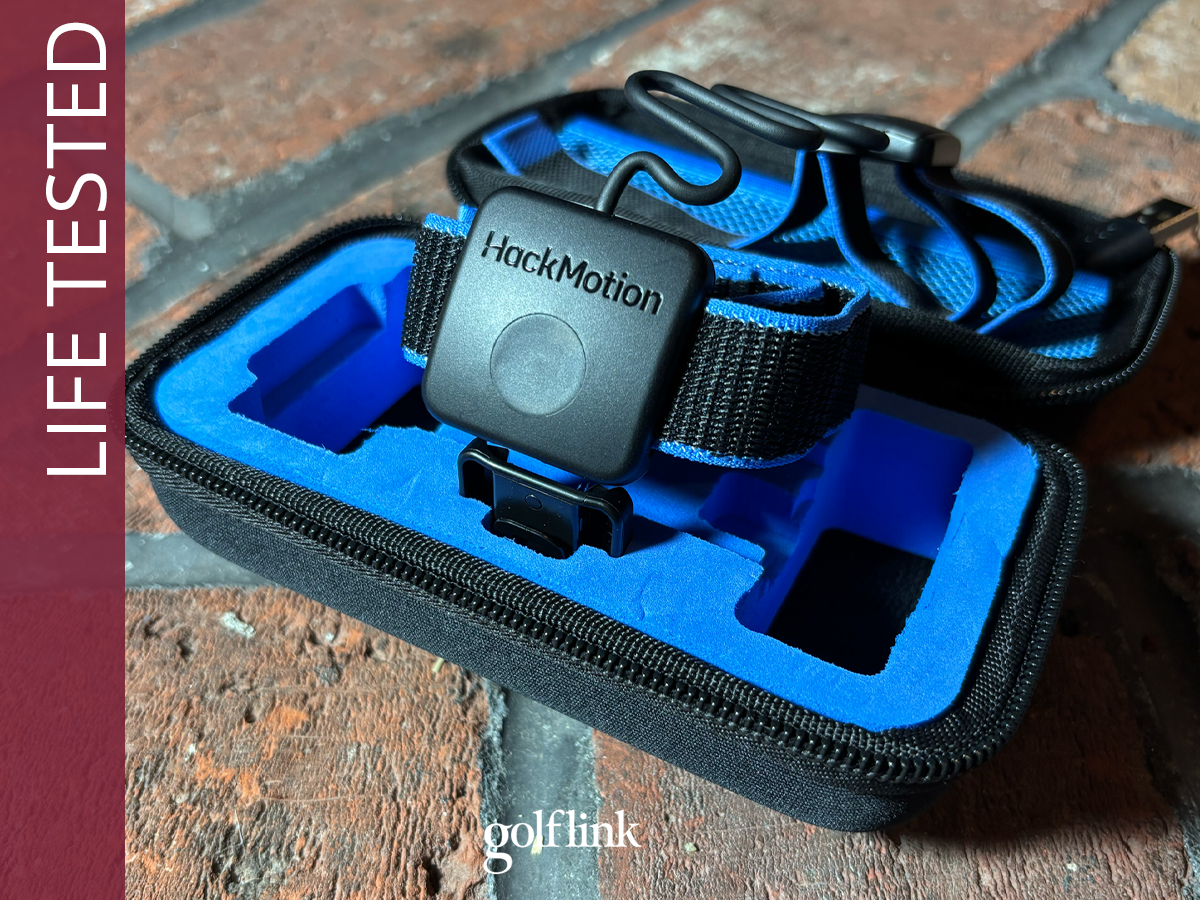
HackMotion is a sensor with two anchor points, one on your lead wrist and another on your lead hand. The HackMotion app gives live feedback on your wrist position at every stage of the golf swing, and after a few swings, pinpoints your wrist-related flaws from setup to impact and prioritizes them from most urgent to least.
From there, you get drills that target your top priority and a guided practice session that gives instant feedback on your progress as you hit every shot.
There’s also a putting practice mode that applies the same concept to your putting stroke.
HackMotion Tier Overview
Here’s a quick look at what’s included with each of the three tiers of HackMotion.
Core:
- Full swing analysis and virtual coach
- Personalized drills
Plus:
- Core features
- Putting analysis and virtual coach
- Putting drills
Pro:
- Plus features
- Tour player comparisons
- Advanced wrist metrics
- Multi-player profiles
How to Stop Casting in Your Golf Swing
Full Swing Training: My Biggest Takeaways
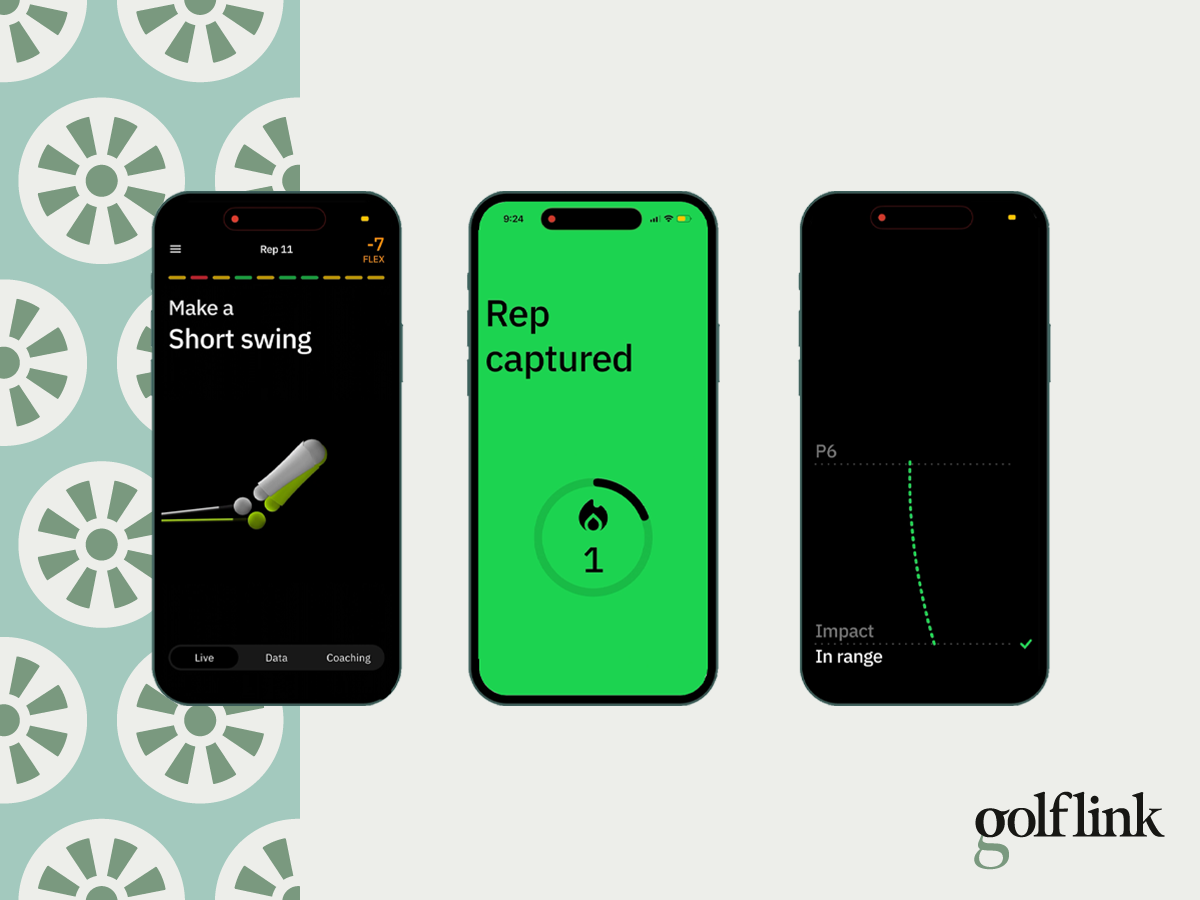
Here's a look at the HackMotion app before, during, and after a swing
I practiced with HackMotion 2-3 times a week for a month, and made impactful gains throughout my swing, from takeaway to impact, that have stuck.
Here’s a closer look at my results.
Wrist Flexion vs. Extension
Hand up, I didn’t know the difference between wrist flexion and extension before using HackMotion. It’s important to learn the difference when you’re using HackMotion because most of the feedback it gives is to add either extension or flexion at various parts of your swing.
Extension is when you bend your wrist up toward the ceiling, flexion is when you bend your wrist down toward the floor.
Improved Mechanics & Wrist Angles
My first session with HackMotion highlighted that my takeaway was too far inside. I actually worked on this flaw with an instructor last year, so the correct move was familiar, and it didn’t take much time to get past that issue.
That was a good first test, and it showed me that HackMotion can accurately detect what’s happening in my swing and give accurate feedback when I fix issues.
Next, I started combating my issue of too much wrist extension at the top of my swing.
The drills in the HackMotion app are quick, easy-to-follow, and effective. After working on the “Motorcycle” drill in the app, I started seeing a noticeable improvement at the top of my swing.
What I found most interesting, however, was that by getting the right wrist flexion at the top of my swing, my swing path (which I measured on the SkyTrak ST MAX launch monitor during my HackMotion training) instantly neutralized. It went from five-plus degrees over the top to two degrees or less.
This fix alone drastically improved my shot shape. I’ve fought that severe path for a long time, but never considered that wrist angles could be the fix.
The last big gain I made from training with HackMotion was impact. The app flagged me for “flipping” through impact, or having too much wrist extension. Again, I went through the prescribed drills and monitored the results, which toed the line between good (green) and almost good (yellow) in the app.
What I really learned, however, was that to keep the right wrist flexion at impact, I needed stronger lower body and chest rotation, which, when done to the app’s liking, led to next-level ball-striking.
Casting Struggles
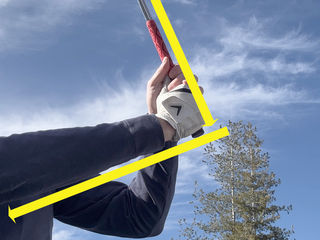
Despite improvements in my takeaway, top of my swing, and impact, I still cast.
Of the hundreds of swings I’ve taken with the HackMotion sensor strapped to my wrist, it’s flagged me for casting on all but one of them.
I’ve done all the casting drills, rehearsed the right move to the app’s satisfaction plenty of times, but simply can’t repeat it (yet) with a ball in front of me.
Fortunately, my success in other areas has bought me some time with my casting issue. With a more consistent swing, better ball-striking, and a predictable shot shape, I don’t have the urgency to fix it as quickly as I first thought.
That allows me to chip away at my casting issue with slower wedge swings, and slowly build them into full swings through the bag as they begin to stick, a strategy that is showing promise.
Putting Mode
I’m a fan of any tool that makes putting practice more engaging.
I can point to a stint of dedicated and focused putting practice as the impetus for every on-course breakthrough I’ve enjoyed in recent years. Despite that, it’s hard to get excited about putting practice.
HackMotion adds a fun layer that takes your focus beyond just makes and misses.
For the most part, HackMotion approved of my putting stroke, which freed me up to focus solely on my tendency to add a little too much wrist rotation through impact. I was often one degree too rotated at impact, which led to the clubface closing too quickly.
Flagging me for one degree of rotation felt a little like getting pulled over for going one mile per hour over the speed limit. But, I figured if I can measure whether or not my stroke was perfectly square through impact, why not shoot for perfection? Aim small, miss small, right?
HackMotion’s putting mode evaluates wrist rotation through the entire stroke, plus timing and tempo, where I would occasionally stray outside of the green zone. Having that data stored in the app is a nice benchmark to see how consistent the timing of my putting stroke is from one week to the next.
Setup & Ease of Use
I’m becoming convinced that we’re finally living in the era of user-friendly tech.
The most recent round of Bluetooth golf speakers and high-tech training aids that I’ve tested, virtually any golf device that pairs with an app, has been shockingly quick and easy to use, and that includes HackMotion.
Downloading the app and pairing the sensor was a breeze. Within a few minutes, I was hitting shots and getting to the root of my swing flaws.
Each HackMotion session requires calibration of the sensor, and it’s comically quick.
The feedback in the app is foolproof. Each measured position is color-coded. Red means you’re doing it wrong, yellow means you’re close, green means you’re good.
The app defaults to an autofocus position as the top priority for you to focus on. You can follow that or easily override it to work on something else.
The drills are quick, easy to understand, and pretty effective.
From a user-experience standpoint, I haven’t had any frustrations with HackMotion, which is a breath of fresh air for such a high-tech training aid.
HackMotion Pros & Cons
Here’s what I liked about HackMotion, and some drawbacks you might want to consider.
Pros:
- Foolproof feedback: Color-coded system gives you instant feedback on every swing
- Effective: I was able to improve my takeaway, top of my swing, and impact, which led to considerable ball-striking and shot-shape improvements
- Consistency: Regular HackMotion sessions can keep your swing mechanics consistent when you’re not seeing an instructor regularly
- Putting: I was pleasantly surprised at how much I enjoyed the putting practice feature
- User Experience: The device and app pair quickly and painlessly, drills are quick, and I experienced zero frustrations with the product
Cons:
- Price: At a minimum of over $300, this is a considerable investment
- TMI: Fixating on making every part of your swing perfect could cause more harm than good
- No Guaranteed Fixes: Despite making some real improvements, I have yet to see the improvement to my casting issue that I had hoped for
- Putting is an Upgrade: The Core version does not include the putting portion of the app, which I think is a big draw
Final Verdict
Many golfers could really benefit from HackMotion, but the price will be a barrier. Based on my experience, I think HackMotion is best for:
- Players who are serious about getting better and will dedicate the time to using it regularly;
- Players who want to complement lessons with an instructor to help make their improvements stick;
- Players who want to build a repeatable and effective golf swing;
- Players who want to improve their putting mechanics;
- Instructors who want to demonstrate to their students their top swing flaws and the correct feels.
If that’s you, I believe you can make serious progress using HackMotion. No, it’s not cheap, but if you’re willing to make the investment – with both your time and money – you’ll appreciate the gains.