Mileseey GeneSonic Pro Review: GPS Speaker Without the App
We walked the course to test GPS accuracy, usability, sound, and battery life.
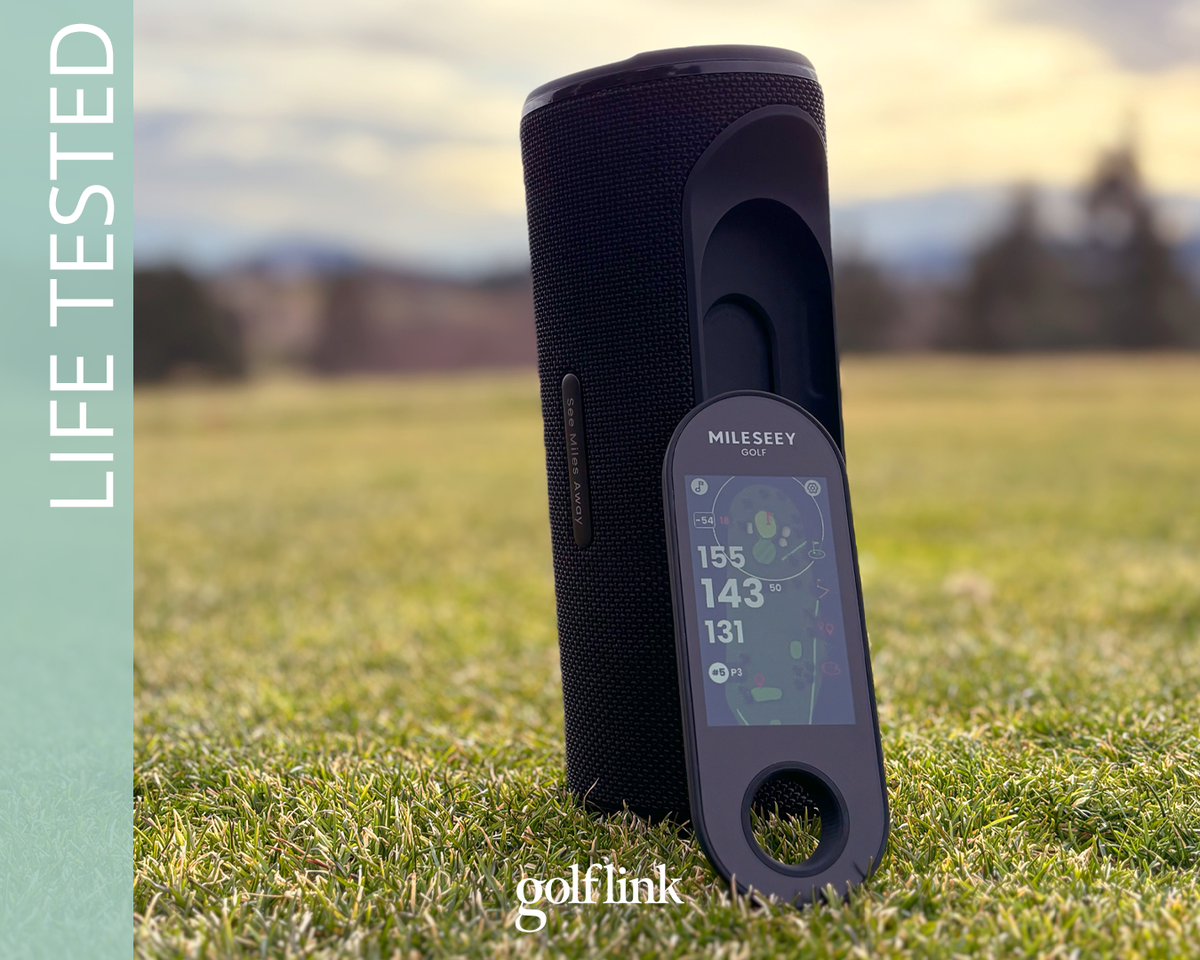
Mileseey has taken golf Bluetooth speakers to the next level.
The GeneSonic Pro pairs a powerful Bluetooth golf speaker and ultra-strong cart magnet with a detachable handheld GPS unit – one of the most user-friendly GPS units we’ve tested – making it a top contender for golfers who want simplicity without sacrificing premium performance.
I took the GeneSonic Pro to the golf course to test everything it has to offer. Here’s how it performed.
Mileseey GeneSonic Pro At a Glance
SHOP MILESEEY
CHECK AMAZON
10% OFF at MILESEEY: GOLFLINK10
MSRP: $299
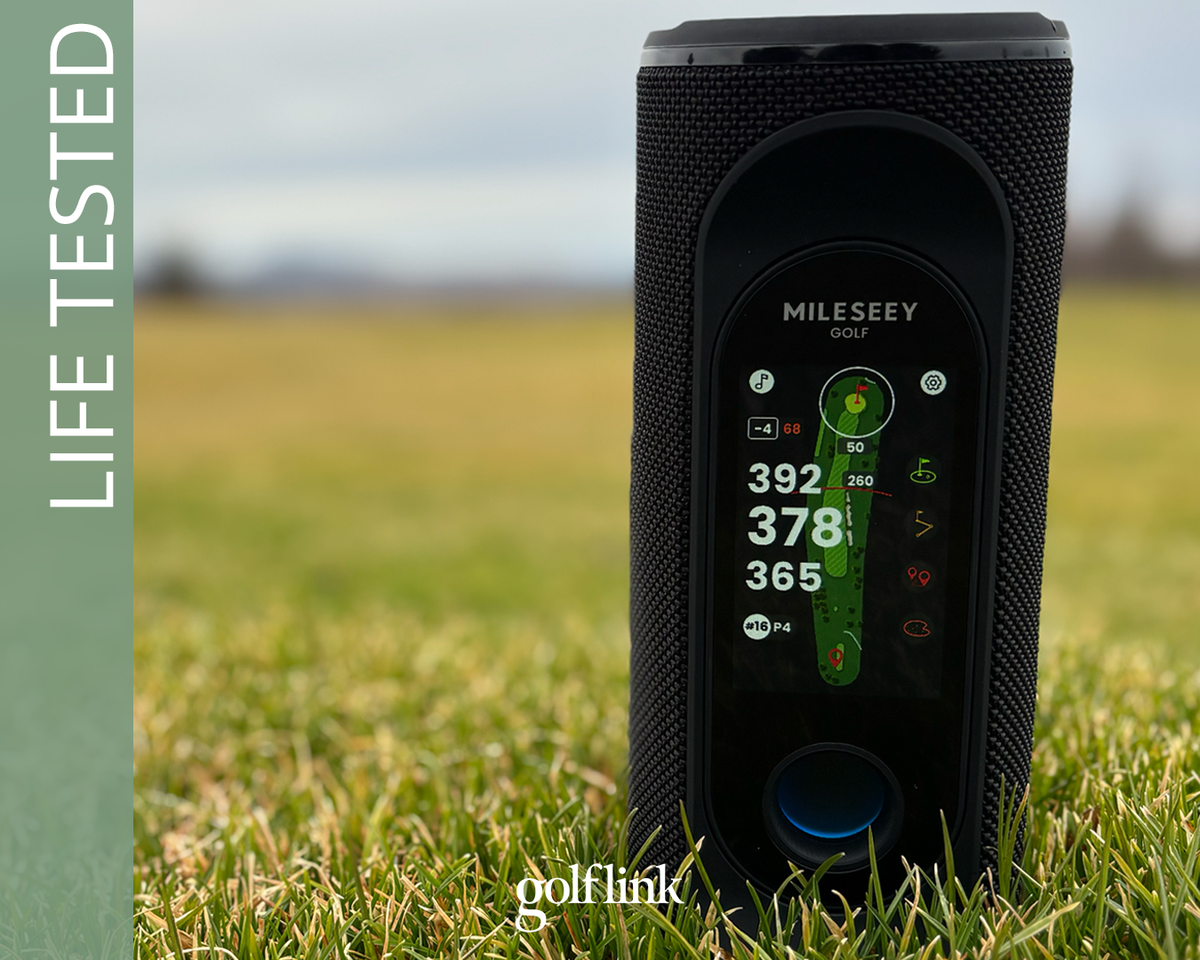
The GeneSonic Pro pairs booming sound and an ultra-strong cart magnet with a detachable handheld GPS. It’s the world’s first golf speaker with this combination.
You can leave the speaker on the cart and still get precise GPS distances from your location, and because the handheld GPS comes preloaded with 43,000+ courses, there’s no phone or app required to use it. That results in less phone battery drain and a more streamlined experience overall.
The GeneSonic Pro combines the convenience of a GPS watch, the functionality of a GPS app, and the entertainment of a premium Bluetooth speaker, without wearing anything on your wrist or draining your phone battery.
Key Specs:
- GPS: Built-in, phone-free
- Courses: 43,000 preloaded
- Display: 3-inch color touchscreen (detachable handheld)
- Audio: 40W dual-band speaker
- Sound Modes: 3
- Battery Life: Up to 3 full 18-hole rounds
- Charging: Speaker + handheld simultaneously (device also acts as power bank)
- Durability: IP67-rated
How We Tested the Mileseey GeneSonic Pro
Testing Environment
- Walked the golf course without playing
- Tested on real course layouts, elevation changes, and tree-lined holes
GPS Accuracy Testing
- Tested alongside a laser rangefinder accurate to the foot
- Compared against a SkyCaddie Pro 4X handheld GPS with ground-verified course mapping
- Verified distances to:
- Front / middle / back of greens
- Fixed course markers and hazards
- Checked consistency and update speed while walking
Audio Testing
- Volume and clarity in open outdoor conditions
- Tested while walking and stationary
- Evaluated clarity at higher volumes and different sound modes
Usability & Battery Testing
- Monitored GPS signal acquisition and re-acquisition
- Tracked battery usage over extended walks
- Tested handheld detachment/reattachment in real use
Testing without playing allowed me to focus entirely on the GeneSonic Pro’s core functions, without distractions like pace of play, other groups, or my own game.
GPS Performance & Mapping
The GeneSonic Pro does a lot, but its GPS functionality is what separates it from the growing crowd of golf Bluetooth speakers.
Accuracy
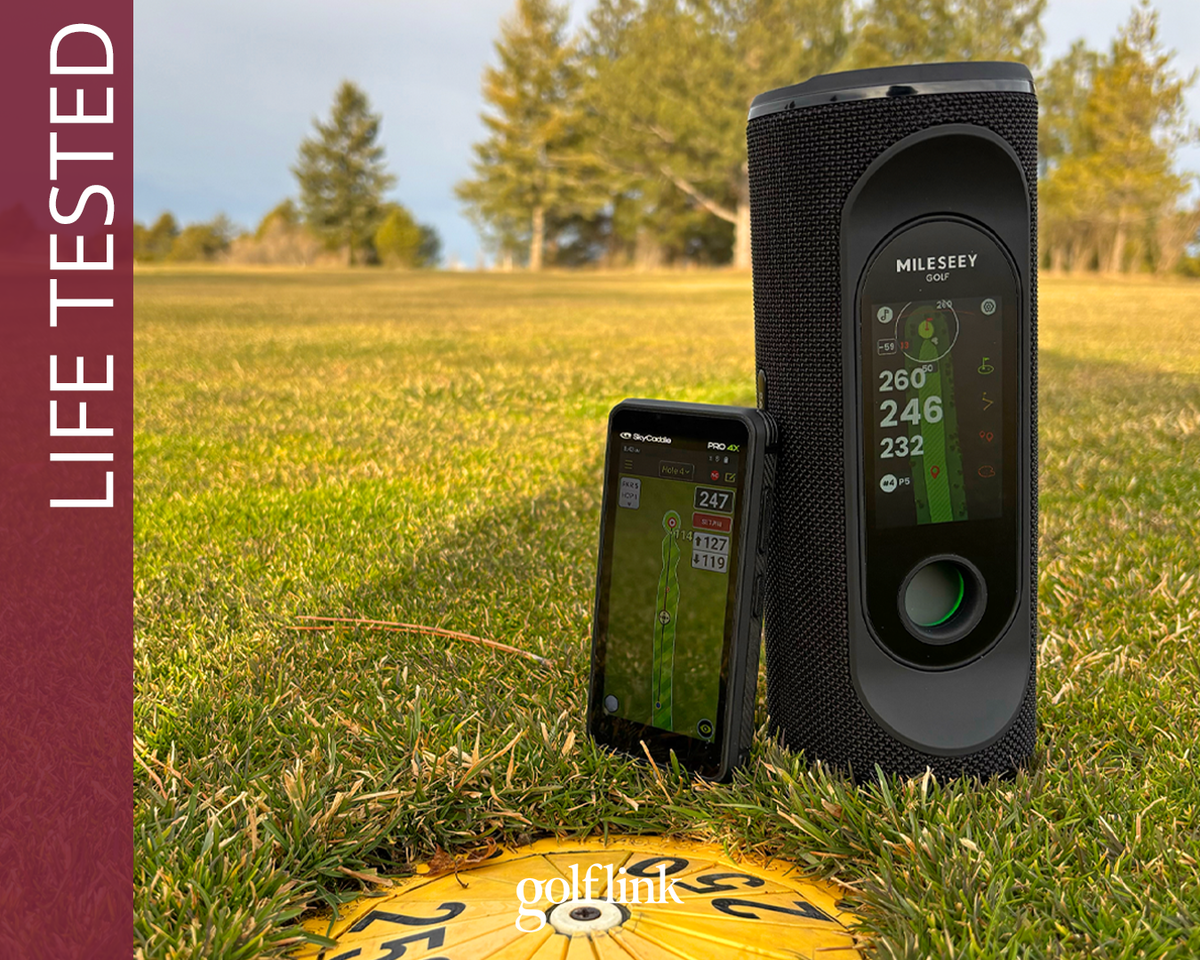
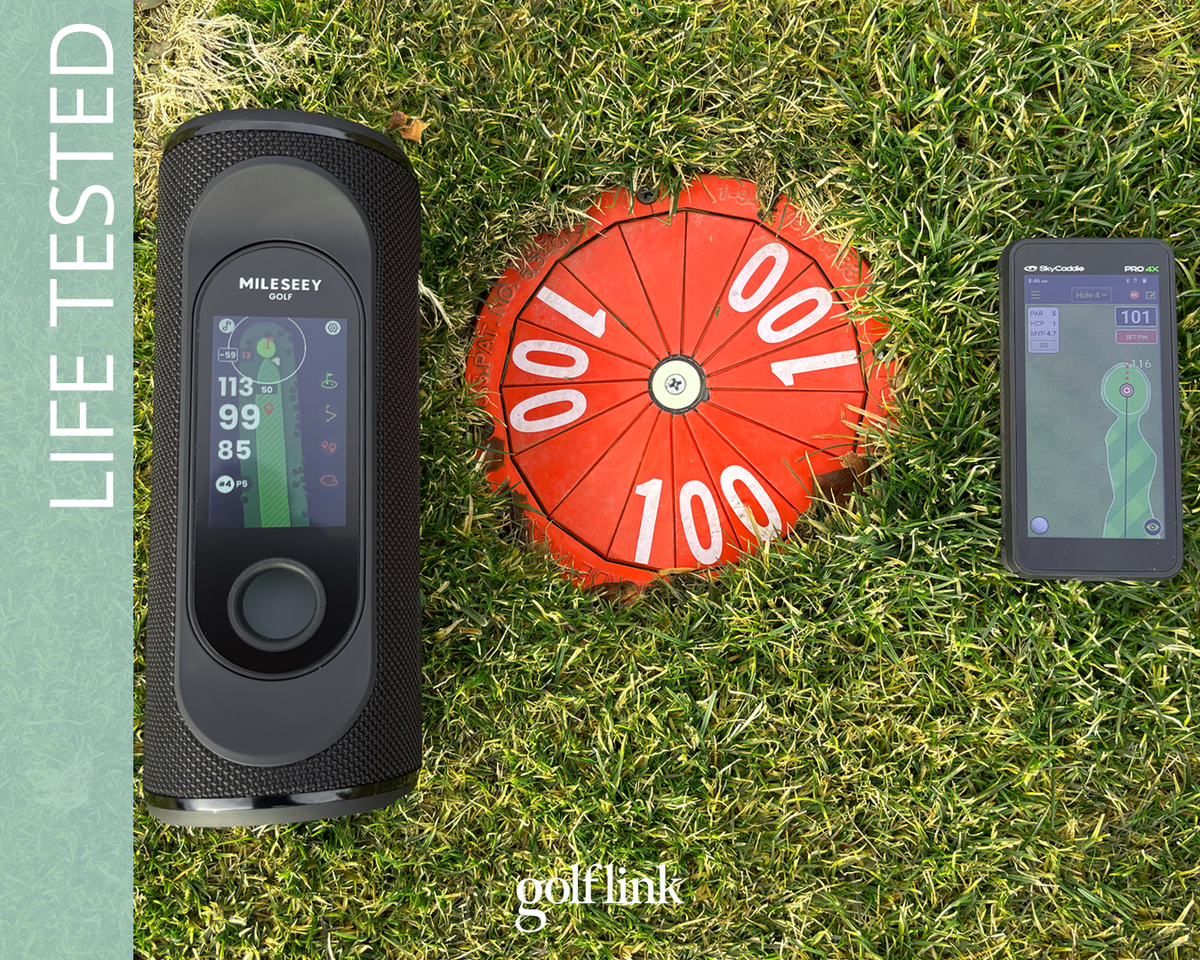
The GeneSonic Pro was consistently within 1 yard of SkyCaddie Pro 4X, and a few yards of course markings
When I compared the handheld GPS from the GeneSonic Pro to the SkyCaddie Pro 4X, it was consistently within 1-2 yards, and it was typically a yard or two shorter than the Pro 4X distances.
I also compared it to a laser rangefinder, shooting the front of the green or hazards since the greens don’t have cups cut in my part of Idaho in January, and these measurements were always spot on, or within one yard.
One early check was a 250-yard sprinkler head on a par-5, where the GeneSonic read 246 yards to the center. While four yards is inconsequential from that distance, it was enough to make me want to cross-check it with my SkyCaddie Pro 4X, which read 247 yards and aligned closely with the GeneSonic Pro.
Overall, the GeneSonic Pro stayed within a yard or two of the SkyCaddie Pro 4X and tightened up even more as it got closer to the green.
SkyCaddie Pro 4X Course-Tested Review
Speed
The GeneSonic Pro automatically updates as you move through the course. As with any GPS device, giving it a few seconds to catch up before you lock in your reading is smart, but because the GPS is built into the unit, updates felt quicker than devices that rely on a phone app.
Hole Auto-Advance
A clunky user experience is the biggest reason I tend to shy away from these types of devices on the golf course. I prefer simple and streamlined over high-tech with a learning curve.
User experience is where the GeneSonic Pro shines most, and the auto-hole advance is a great example of that.
You can change holes manually by swiping, or by tapping the hole number to bring up an intuitive slider.
But that’s not necessary. If you don’t do that, the GeneSonic Pro will automatically advance to the next hole as you get there, prompting you with the option to input your score and stats from the previous hole at the same time.
Course Recognition
It took the GeneSonic Pro 12 seconds, starting from the home screen, to enter golf mode, locate the nearby courses, select my course, select my tees, and load the map of the first hole, distances and all. If your fingers are quicker than mine, I’ll bet you could do it in 10.
I’ve used plenty of handheld GPS devices, and waiting a few minutes for a course to load is typical. This was easily the best start-up experience I’ve had with a GPS.
Sound: On and Off the Course
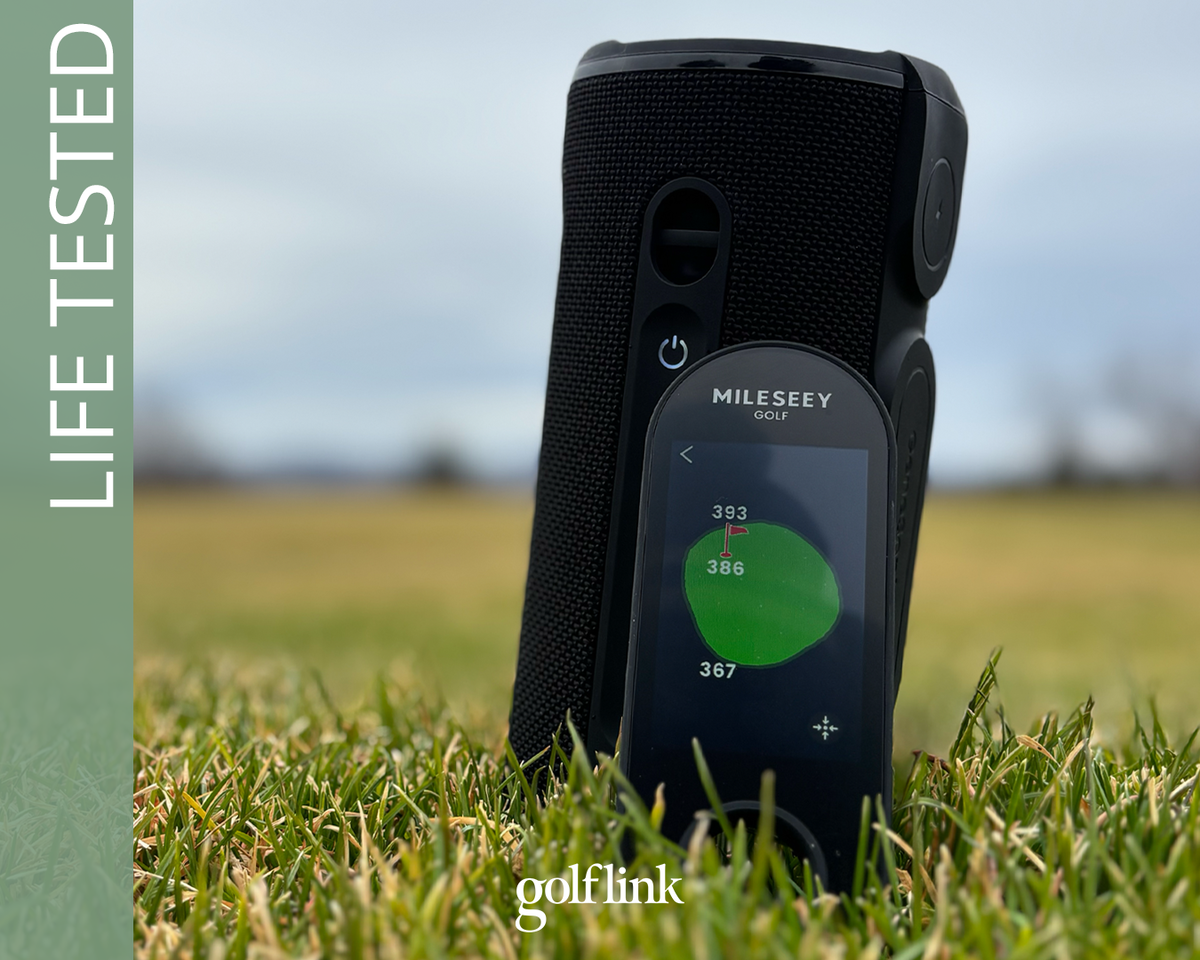
You can easily set the hole location on the GeneSonic Pro GPS maps
The GeneSonic Pro is pricey, but its sound quality justifies the price.
I tested it at maximum volume on the course, where it proved capable of output that’s well beyond reasonable on a golf course. Even at that top-end volume, clarity never suffered.
Thankfully, it packs a very satisfying punch at more golf-course friendly volumes.
With three sound modes – golf, home, and party – there’s some wiggle room to optimize it for each situation. Party Mode seems a little richer to me, and I’ve gravitated to that as my default setting, even for background music at home.
For those who know more about speaker specs than I do, here’s what’s under the hood of the GeneSonic Pro:
- Dual-band crossover system
- Racetrack woofer
- Silk-dome tweeter
- 40W sound
- Multi-Link Mode (pair multiple speakers)
Battery Life
Mileseey reports that the GeneSonic Pro has 15 hours of battery life with volume at 50%, or enough for three full rounds.
After one hour on the course, using both the GPS and the speaker, both units (measured separately) were still in the 90% range. After another hour at home of using the speaker with the display on (but not GPS), the battery bars were both in the 80s.
Based on my experience, Mileseey’s claim of three full rounds of battery life seems right.
The other bonus of the unit is that you can use it as a power bank to charge other devices in a pinch. Nobody likes leaving a long day at the golf course with a dead phone battery.
Durability & Build Quality
The GeneSonic Pro is rated IP67, which means it can withstand submerging in water up to 1 meter deep for up to 30 minutes, while being “dust-tight.”
Translation? If you’re planning on using it for golf, and you keep the cart on land, you’re good to go.
What We Like, What Could Be Better
After testing the GeneSonic Pro, here’s the quick list of what we like and what could be better
What We Like
- Easiest user experience of any GPS/speaker we’ve tested
- Phone-free GPS (no app, no subscription)
- Impressive GPS accuracy
- Detachable handheld flexibility
- Loud, clear audio
- Battery versatility (long life + power bank)
What Could Be Better
- Does not charge quickly
- GPS maps are not touch-target
- Size/weight positions it more for riders, not ideal for walkers
Who It’s For, Who Should Skip It
Functionally, the GeneSonic Pro is a fit for golfers who play music on the course and want an easy-to-use distance measuring device. This unit does both of those jobs admirably.
Typically, I gripe out how these types of devices are for the more tech-savvy golfers, but the GeneSonic’s interface is virtually foolproof. No frustrating learning curves to tap into the functionality.
Of course, there are some limitations. Let’s start with the obvious: at $299, it’s not going to fit every player’s budget for a speaker/distance measuring device.
Also, given that it’s a full-feature speaker, it’s not exactly carry friendly. It’s a better fit for golfers who use a cart most of the time. I use a push cart, and I’d have no issue clipping it to my bag for that stroll, but rounds I carry my own bag, I’d leave this at home.
Ideal for:
- Golfers who hate apps and subscriptions
- Golfers why usually play music during rounds
- Players why typically use a cart or push cart
Probably not for:
- Players who prefer to carry their bag
- Budget-conscious players
The Final Note
Mileseey did not cut corners with the GeneSonic Pro.
Up to this point, in my experience, these types of devices always come with tradeoffs. A frustrating user experience and long load times to connect maps are usual suspects.
It’s clear that usability was a top priority, and it honestly makes this a more approachable device than others I’ve tested.